
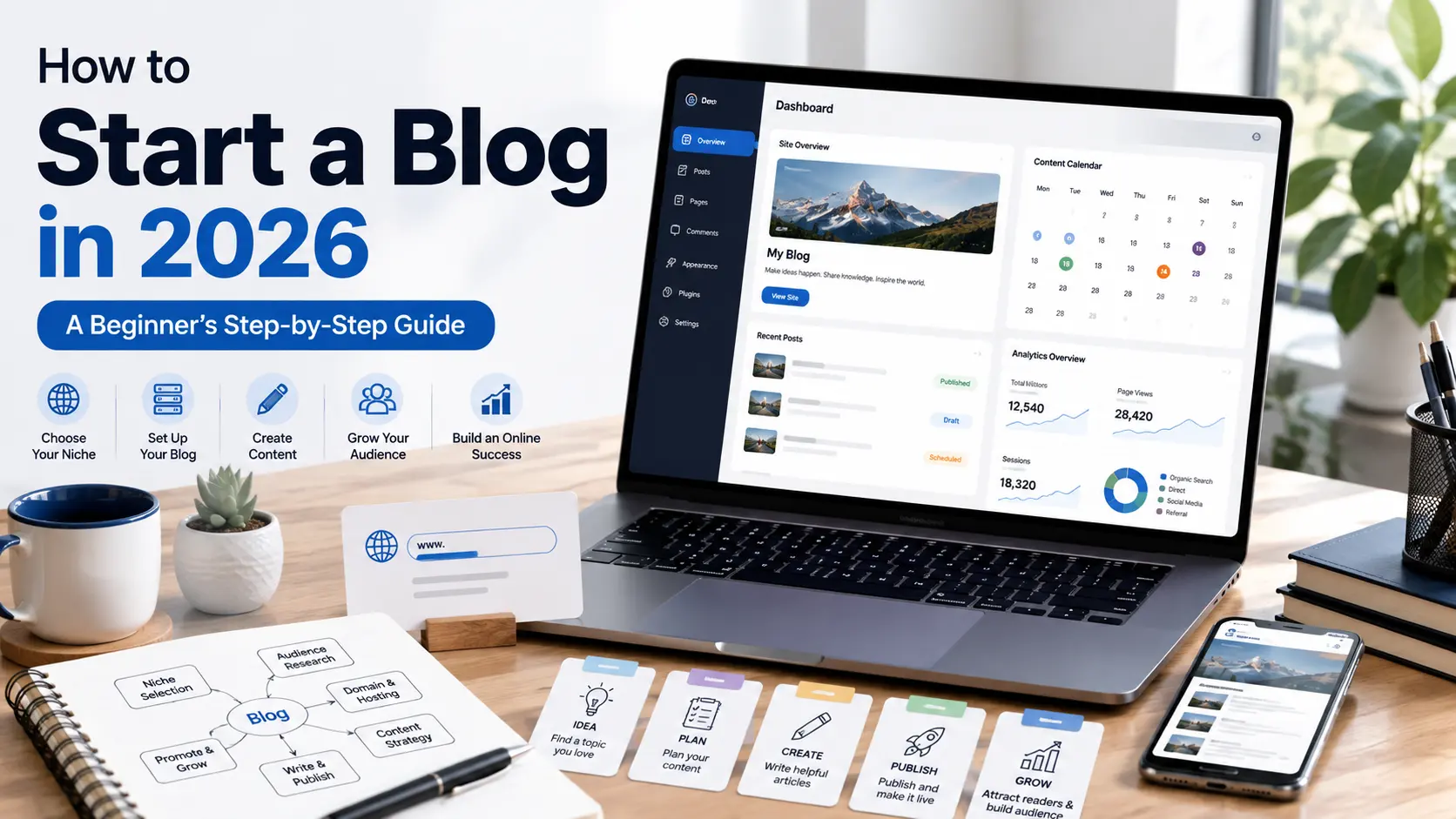
Starting a blog in 2026 is easier than ever, but building a blog that people actually want to read requires more than simply creating a website and publishing a few articles. You need a clear topic, a specific audience, a reliable platform, and a plan for creating useful content.
The good news is that you don’t need to be a programmer or an experienced writer to get started. With the right tools and a simple step-by-step approach, you can create a professional blog even if you’re starting from scratch.
In this guide, you’ll learn how to start a blog, from choosing your topic and domain name to setting up WordPress, creating essential pages, planning your content, and writing your first blog post.
You’ll also learn some common mistakes beginners should avoid so you can build your blog on a solid foundation instead of wasting time on fixing problems later.
Key Takeaways
- Choose a clear topic and target audience before creating your blog so you know who you're writing for and what problems your content will solve.
- Set up a simple, professional blog with a suitable domain, reliable hosting, WordPress, essential pages, and a reader-friendly design.
- Focus on useful content rather than publishing volume by planning relevant topics, writing helpful articles, and improving your blog consistently over time.
Decide What Your Blog Will Be About
Before buying a domain or designing your website, decide what you want your blog to help people with. Your topic will influence the type of readers you attract, the articles you create, and the direction your blog takes over time.
Choose a topic that you can write about consistently and that has a clear audience. For example, instead of choosing something extremely broad like “technology,” you could focus on a more specific area such as AI tools for beginners, personal finance for students, or healthy cooking for busy families.
You should also think about whether you have enough ideas to keep creating useful content. A good blog topic should give you plenty of related questions, problems, guides, comparisons, and practical topics to cover without having to repeat yourself.
Most importantly, don’t choose a topic only because you think it will make money. A profitable topic still needs useful, trustworthy content. If you understand the subject or are willing to research it carefully, you’ll have a much better chance of creating a blog that readers return to.
What Makes a Good Blog Topic?
A good blog topic usually has three qualities:
- You can write about it consistently.
- People are genuinely looking for information about it.
- You can provide useful information or a helpful perspective.
You don’t need to find a perfect topic before starting. Choose a clear direction, learn about your audience, and refine your focus as your blog develops.
Understand Your Target Audience
Choosing a topic is only the first step. You also need to understand who you are writing for. Your audience determines what information you should provide, how you explain it, and which problems your blog should solve.
Start by asking yourself a few simple questions: Who is likely to read my blog? What are they trying to learn? What problems are they facing? Are they complete beginners or already familiar with the topic? The clearer your answers are, the easier it becomes to create content that feels relevant rather than generic.
For example, if your blog is about AI tools for beginners, your readers may want simple explanations, practical examples, pricing information, and guidance on which tools are worth trying. Writing for experienced AI developers would require a completely different level of detail and terminology.
Why Knowing Your Audience Matters
When you understand your readers, you can create articles that answer their actual questions, rather than simply writing about whatever interests you. This can also help you choose better article topics, create clearer explanations, and make your content more useful.
You don’t need to know everything about your audience before publishing your first article. Start with a reasonable understanding of who you want to help, then use reader feedback, search queries, comments, and your website’s analytics to learn more over time.
How to Define Your Ideal Reader
Write down a simple description of your target reader, including:
- Their approximate level of knowledge
- What they want to achieve
- The problems they are trying to solve
- The questions they are likely to ask
- What type of information would make their decision easier
You don’t need to create a complicated customer profile. A clear understanding of the person you’re trying to help is enough to make your content more focused and useful.
Choose a Domain Name
Your domain name is the web address people use to find your blog, such as example.com. It becomes part of your brand, so choose something that is easy to remember and gives you room to grow.
Keep your domain short, simple, and easy to spell. Avoid complicated words, unnecessary numbers, and excessive hyphens that can make the address difficult to remember or type correctly. If possible, choose a name that is broad enough to support related topics you may want to cover in the future.
Before registering a domain, search for the name online and check whether it is already being used by another business, website, or trademark. You don’t want to build a brand around a name that could create confusion or legal problems later.
Tips for Choosing a Good Domain Name
- Keep it short and easy to remember.
- Make sure it is easy to spell and pronounce.
- Avoid unnecessary numbers and hyphens.
- Choose a name that fits your blog’s overall topic.
- Leave some room for your blog to expand in the future.
- Check its availability and potential trademark conflicts before registering it.
You don’t need a perfect domain name to start a successful blog. A clear, memorable, and suitable name is more important than finding something clever. Once you’ve chosen a good option, register it and move on to building the actual website rather than spending weeks trying to find the “perfect” name.
Choose a Blogging Platform
After choosing your domain name, you need a platform to create and manage your blog. A blogging platform gives you the tools to publish articles, add images, organize content, and manage your website without having to build everything from scratch.
There are several options available, including hosted platforms such as Wix, Squarespace, WordPress, and Blogger, as well as self-hosted WordPress. The right choice depends on how much control and flexibility you want.
For beginners who want to build a blog as a long-term project, self-hosted WordPress is worth considering. It gives you greater control over your website’s design, plugins, content, SEO, and monetization options. It also has a large ecosystem of themes and plugins, making it possible to expand your website as your needs change.
However, self-hosted WordPress also requires a little more responsibility. You’ll need to manage things such as hosting, updates, backups, security, and plugins. This may sound complicated at first, but you don’t need advanced technical skills to handle the basics.
What Should You Look for in a Blogging Platform?
Before choosing a platform, consider:
- Ease of use: Can you create and manage content without coding?
- Customization: Can you change the design and functionality as your blog grows?
- Performance: Does the platform support a fast, mobile-friendly website?
- SEO capabilities: Can you control important elements such as titles, URLs, and structured data?
- Monetization: Does it support the advertising, affiliate marketing, or other methods you may want to use?
- Scalability: Can the platform handle your future content and growing audience?
You don’t need the most complicated platform. Choose one that gives you enough control for your current needs while leaving room to grow. For many beginners building a serious long-term content website, self-hosted WordPress is a strong option.
Get Web Hosting and Set Up WordPress
Once you’ve chosen your blogging platform, the next step is to get your website online. If you’ve decided to use self-hosted WordPress, you’ll need web hosting to store your website’s files and make them accessible to visitors.
When choosing a hosting provider, look for reliable uptime, good performance, SSL support, regular backups, security features, and responsive customer support. You don’t necessarily need the most expensive plan when you’re starting out. Choose a plan that meets your current needs and can be upgraded as your website grows.
After purchasing hosting, connect your domain to your hosting account and install WordPress. Many hosting providers offer a guided or one-click WordPress installation, so you usually don’t need to install it manually or write code.
Once WordPress is installed, log in to your dashboard and complete the basic setup. Set your website title, choose a suitable theme, configure your main settings, and make sure your site uses HTTPS. You can then begin customizing the design and preparing your first content.
What to Check Before Choosing Hosting
Look for:
- Reliable performance so your pages load quickly.
- SSL/HTTPS support to protect connections between your website and visitors.
- Regular backups in case something goes wrong.
- Security features to help protect your website.
- Customer support when you need technical assistance.
- Room to upgrade as your traffic and content increase.
Don’t spend too much time comparing dozens of hosting plans. Choose a reliable option that fits your current requirements, set up WordPress correctly, and focus your energy on creating useful content.
Create the Essential Pages for Your Blog
Before publishing your first articles, create a few important pages that help visitors understand your website and find essential information. These pages also make your blog look more complete and transparent from the beginning.
You don’t need dozens of pages. Start with the essentials and make sure the information on each page is clear, accurate, and easy to find from your website’s navigation or footer.
About Page
Tell readers what your blog is about, who it is intended to help, and what they can expect from your content. You can also briefly explain your approach to researching and creating articles.
Keep it genuine. You don’t need an exaggerated story or claims that you cannot support.
Contact Page
Give visitors a simple way to contact you. Depending on your blog, this could include a contact form or a dedicated email address.
A clear contact page is especially useful if readers want to report an error, ask a question, or discuss a business-related matter.
Privacy Policy
A privacy policy explains how your website collects, uses, stores, or shares information from visitors. If you use services such as analytics, advertising, contact forms, or cookies, make sure your privacy information accurately reflects what your website actually does.
Don’t copy a random privacy policy without understanding it. Review it carefully and update it whenever your website’s data practices change.
Terms and Conditions
Terms and conditions can explain the rules for using your website, including limitations of liability, intellectual property, acceptable use, and other relevant terms.
The exact content you need depends on your website and how it operates, so consider getting appropriate legal advice if your website has more complex requirements.
Disclaimer
A disclaimer can clarify important information about your content, especially if you publish reviews, recommendations, affiliate links, or other material that could involve financial or commercial relationships.
For example, if you use affiliate links, clearly disclose that you may earn a commission when a reader makes a qualifying purchase through one of your links.
Plan Your First Blog Content
Once your blog is set up, don’t rush to publish random articles just to make the website look active. Your first posts should have a clear purpose and help your target audience solve real problems.
Start by making a list of questions your readers are likely to ask. Think about the information they need before, during, and after solving a particular problem. These questions can become individual blog posts and help you build a collection of useful content around your main topic.
Start With Topics, Not Just Keywords
Keywords can help you understand what people search for, but they shouldn’t be the only reason you choose a topic. First identify a useful subject or problem, then research the words and phrases people commonly use when looking for information about it.
For example, if your blog is about blogging, possible topics could include:
- How to start a blog
- How to choose blog topics
- How to write a blog post
- How to get your first blog visitors
- How to use AI for blogging
This approach keeps your content focused on helping readers, rather than trying to insert keywords into articles that have little real value.
Focus on Quality and Consistency
Before publishing an article, ask yourself:
- Does it answer a real question?
- Is the information accurate and useful?
- Is it easy for the intended reader to understand?
- Does it offer enough detail to solve the problem?
- Have I checked the article for errors and outdated information?
Your goal shouldn’t be to build a large number of posts as quickly as possible. Build a useful library of content that becomes more valuable as your blog grows.
Write Your First Blog Post
Now that you have a topic, an audience, and a basic content plan, it’s time to publish your first article. Your first post doesn’t need to be perfect, but it should be useful, accurate, and easy to follow.
Start by choosing one specific question or problem your target reader wants to solve. Research the topic carefully, especially if it involves information that can change over time. Then create a simple outline before writing. This helps you cover the important points without repeating yourself or adding unnecessary information.
Use a Clear Article Structure
A simple blog post can follow this structure:
- Introduction – Tell readers what the article will help them do.
- Main sections – Break the topic into logical H2 and H3 sections.
- Examples or practical advice – Show readers how to apply the information.
- Conclusion – Summarize the most important points and give the reader a sensible next step.
Keep paragraphs reasonably short and use lists, tables, images, or examples when they make the information easier to understand.
Research, Edit, and Fact-Check
Don’t publish the first draft immediately. Read through the article again and look for:
- Incorrect or outdated information
- Spelling and grammar mistakes
- Repeated ideas
- Unclear explanations
- Unsupported claims
- Broken links
- Images without appropriate alt text
- Formatting problems on mobile devices
If you use AI tools to brainstorm, outline, or improve your writing, treat their output as assistance rather than unquestioned fact. Review the information yourself and add your own understanding, examples, and perspective.
If you want to explore AI tools that can help with brainstorming, writing and editing, check out our guide to the Best AI Writing Tools for Bloggers.
Add Relevant Internal Links
When another article on your website provides more detailed information about a topic you’re discussing, link to it naturally.
Don’t add links simply to increase the number of internal links. Each link should give the reader a useful next step.
Finally, read the completed article as if you were a first-time visitor. If the reader can understand the topic, find the information they need, and leave with a useful answer, you’re ready to publish.
Your first blog post is the beginning of your content library, not a one-time task. Focus on creating something genuinely helpful, then use what you learn from your readers and website data to make future articles better.
Final Thoughts
Starting a blog in 2026 doesn’t require you to know everything before you begin. Choose a clear topic, understand who you want to help, set up a simple and reliable website, and focus on publishing content that genuinely answers your readers’ questions. Your blog will improve as you learn more about your audience and gain experience creating content.
Don’t measure your progress only by traffic or earnings in the beginning. Focus first on building a useful collection of articles, improving your website, and creating a reason for readers to return. Growth can take time, and there is no guaranteed timeline for reaching a particular amount of traffic or income.
Ready to start your blog? Choose your topic and domain name today, set up your website, and create a simple plan for your first few articles. Then publish your first genuinely helpful post and keep improving from there.
Frequently Asked Questions (FAQs)
What is a blog?
A blog is a website or section of a website where articles are published regularly on one or more related topics. Blogs can provide educational information, practical advice, news, opinions, tutorials, reviews, or other useful content.
Can I start a blog without technical knowledge?
Yes. Modern blogging platforms such as WordPress allow beginners to create and manage websites without knowing how to code. You may need to learn a few basic concepts, such as domains, hosting, themes, plugins, and website settings, but you don’t need to be a programmer.
How much does it cost to start a blog?
The cost depends on the platform and services you choose. A self-hosted blog generally requires a domain name and web hosting, while some hosted platforms offer free or paid plans. Additional costs may include premium themes, plugins, tools, or professional services, but you can start with a relatively simple setup.
Can I start a blog for free?
Yes, some platforms offer free blogging options. However, free plans often come with limitations on customization, features, storage, branding, or monetization. If you’re planning to build a serious long-term website, compare the limitations carefully before choosing a free option.
How often should I publish blog posts?
There is no universal publishing frequency that guarantees success. Choose a schedule you can maintain while still giving each article enough time for research, writing, editing, and fact-checking. A smaller number of useful articles is better than publishing large amounts of low-quality content.
Can a blog make money?
Yes. Depending on the website and audience, bloggers can earn through display advertising, affiliate marketing, digital products, services, sponsored content, and other methods. However, earning money is not guaranteed, and a new blog generally needs useful content and an audience before monetization becomes meaningful.